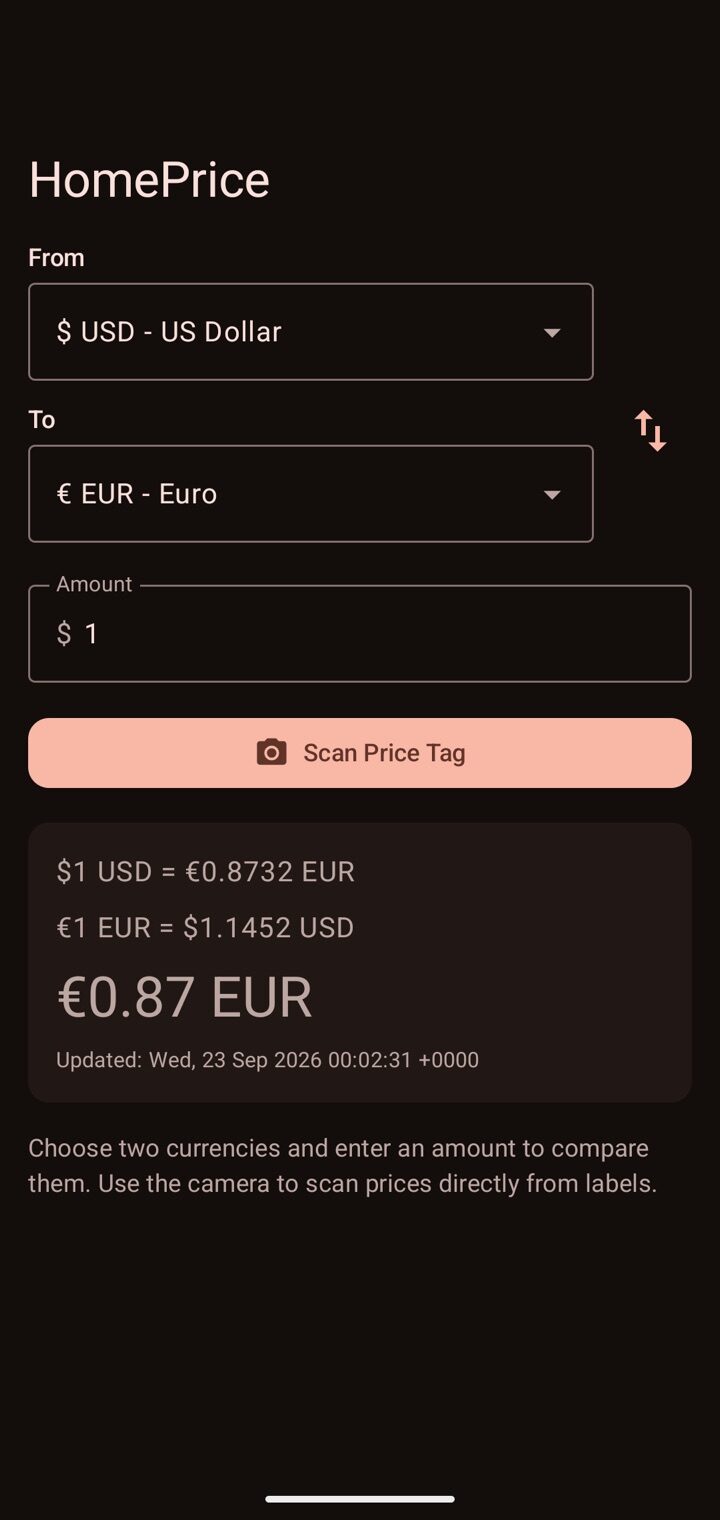
Three taps from “how much?” to “oh, that much.”
Pick your currencies
Choose where you are and where home is. Your favorites (USD, EUR, GBP, JPY, CAD) sit at the top of the list.
Type it or scan it
Enter an amount, or open the scanner and aim at a price tag. HomePrice reads the price for you.
See the home price
The converted price appears straight away, with the exchange rate both ways and when it was last updated.
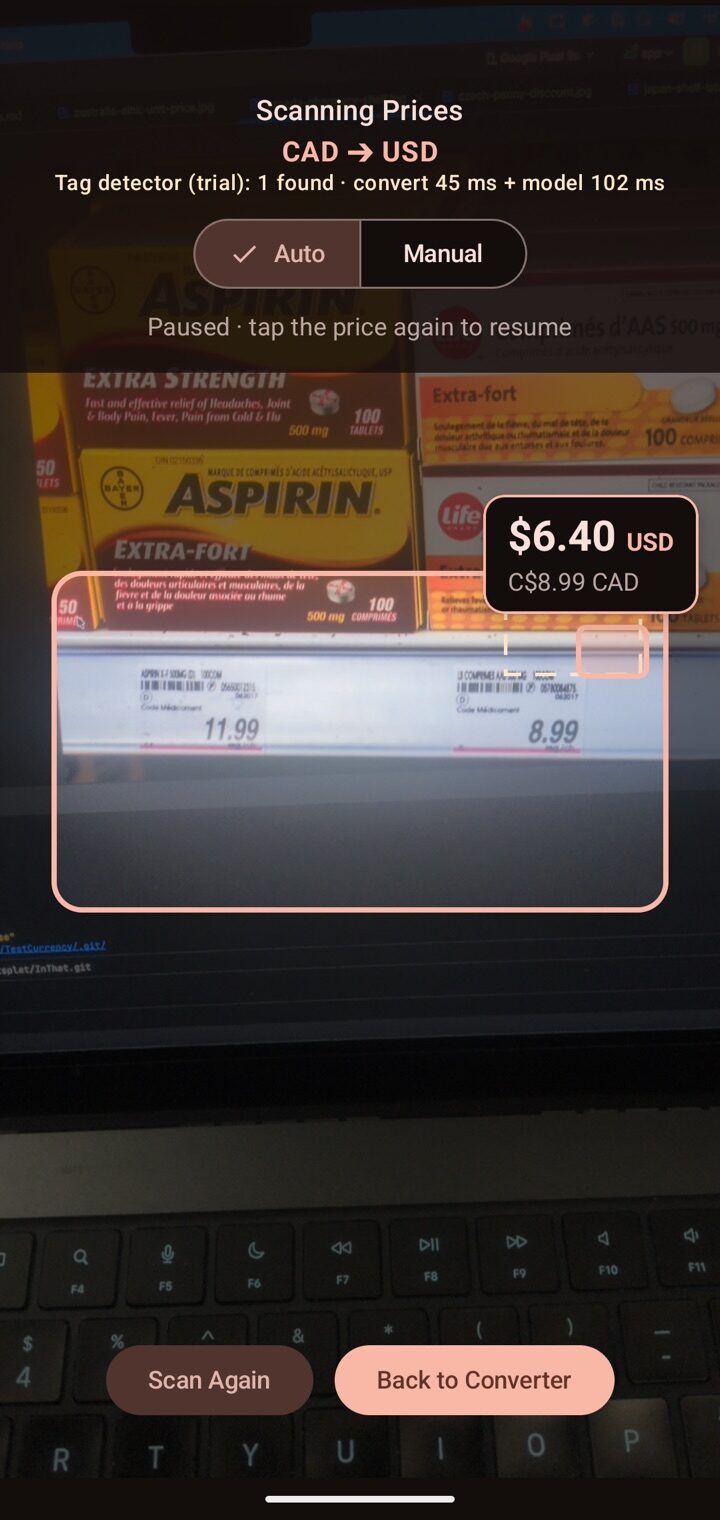
Made for real shelf tags.
Supermarket labels are cluttered. The scanner finds the price and ignores everything else on the tag.
-
$
Live, tag by tag
In Auto mode every tag's headline price is converted live on screen. In Manual mode you tap the price you want and the frame freezes.
-
€
Skips everything that isn't a price
Dates, barcodes, sizes, unit prices and stray digits are filtered out, so “500 mg” and “100 tablets” never get converted.
-
¥
Fixes what the camera misreads
It restores decimal points that OCR often drops, like “2 99” or raised cents, so 2.99 doesn't become 299.
-
⇄
Swap without leaving the camera
Tap the currency pair at the top to flip it. Every card on screen switches direction at once, even while paused.
Small things, done properly.
Currencies
From the dollar and euro to the baht, rand and dong, with names shown in your language.
Prices that look right
Symbols, grouping and decimal marks follow your locale, and each currency always shows its own number of decimals. Yen has none. Dollars always have two.
Instant switching
After the first fetch, rates are kept on hand. Change currencies and the answer is there immediately while fresh rates load quietly in the background.
Rates both ways
See $1 = €0.8732 and €1 = $1.1452 together, so you can check the maths in either direction.
Languages
Pick the app's language separately from your phone's.
On your phone, or right in the browser.
The same app for iPhone, Android and the web. Light and dark themes follow your system.
iPhone & iPad
Built in SwiftUI with an on-device scanner. iOS and iPadOS 17 or later.
Download on the App StoreAndroid
The original HomePrice, with a themed launcher icon on Android 13 and later.
Get it on Google PlayWeb app
No download needed. Open it in any browser, then add it to your home screen to use it like an app.
Open the web app
Your prices, brought home.
Next time you're abroad and staring at a price tag, you'll know what it means.